Why 'Just Add a Button' Takes 40 Hours: A Founder's Guide to Development Complexity
Why simple feature requests take 40+ hours of development. A founder's guide to understanding development complexity and estimating realistic timelines.
January 9, 2025 9 min read
"Can you just add a button that lets users export their data? Should be simple, right?"
Your developer comes back with an estimate: 40 hours. You're confused. It's a button. Maybe a few lines of code?
This disconnect kills projects, ruins budgets, and destroys relationships between founders and developers. Let's fix it.
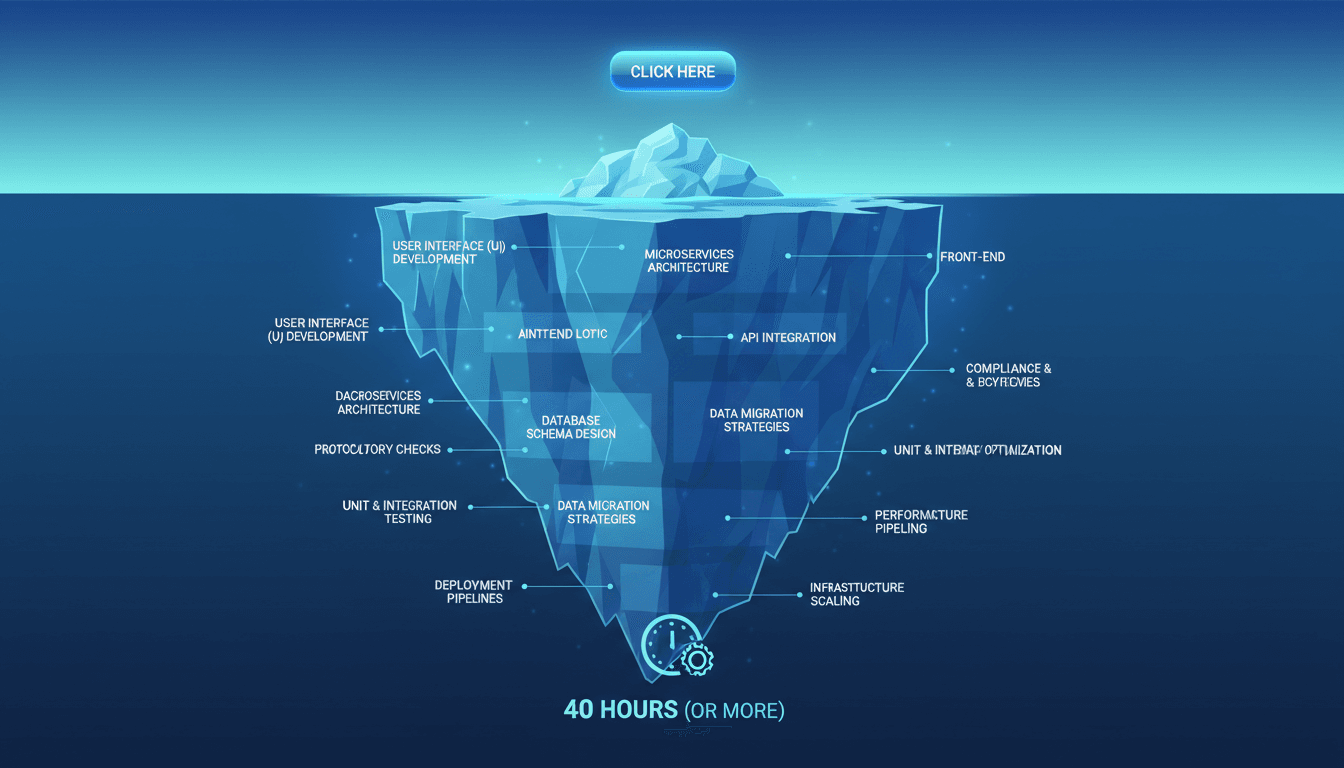
The Iceberg Principle of Software Development
What you see: a button.
What your developer sees: authentication, authorization, data fetching, format conversion, error handling, edge cases, testing, deployment, monitoring, and documentation.
The button is 2% of the work. The other 98% is everything required to make that button work correctly, securely, and reliably for every user in every scenario.
Every "simple" feature touches:
Frontend where users interact
Backend where logic executes
Database where data lives
Authentication to verify who's requesting
Authorization to verify what they can access
Error handling for when things break
Testing to ensure it works
Deployment to ship it safely
Monitoring to catch production issues
Multiply those layers by edge cases, and 40 hours starts looking optimistic.
Stop planning and start building. We turn your idea into a production-ready product in 6-8 weeks.
The Export Button: A Case Study in Hidden Complexity
Let's break down that export button. Every single step requires code, testing, and time.
Step 1: What Are We Exporting? (4 hours)
The button needs to know what data to export. Sounds simple until you ask:
All user data or just current view?
Include related records or just primary data?
Apply current filters or export everything?
Respect privacy settings that might hide some data?
Handle deleted records that might be referenced?
Each question requires design decisions, implementation, and testing. You can't just "export data" without defining exactly what that means for your specific product and users.
Step 2: What Format? (6 hours)
Users want different formats for different purposes.
CSV for spreadsheets:
Flatten nested data structures
Handle commas and quotes in data that would break CSV format
Choose column headers that make sense
Order columns logically
Handle missing or null values
JSON for developers:
Structure nested data properly
Include metadata and relationships
Format dates and numbers correctly
Handle circular references
PDF for reports:
Design layout and formatting
Handle pagination for large datasets
Include branding and headers
Generate charts or visualizations
Each format is a different codebase. Most products need at least two. That's parallel development tracks.
Step 3: Security and Authorization (8 hours)
Who can export what? This isn't paranoia, it's compliance and user trust.
Authorization checks:
Verify user identity before processing request
Check permissions for each data type being exported
Filter data based on user role and access level
Audit log who exported what and when
Rate limit to prevent abuse and data scraping
Encrypt exported files if they contain sensitive data
Miss any of these, and you've created a security vulnerability. GDPR fines start at 4% of revenue. SOC 2 compliance requires audit logs. Export features are common attack vectors.
Step 4: Performance at Scale (6 hours)
Exporting 10 records is instant. Exporting 10,000 records crashes the server.
Scaling export requires:
Background jobs so exports don't block the UI
Pagination to process large datasets in chunks
Caching to avoid re-querying the same data
Progress indicators so users know it's working
Email delivery for large exports instead of browser downloads
File storage for generated exports with cleanup after X days
Your database can handle reading data. Can it handle reading millions of records while serving production traffic? Probably not without optimization.
Step 5: Error Handling (4 hours)
Everything that can go wrong, will go wrong.
Common export failures:
Database timeout on large queries
Out of memory when processing huge datasets
Network interruption during file generation or download
Invalid data that breaks format expectations
Permission changes mid-export if access is revoked
Disk space limits on server storage
Each failure mode needs detection, logging, and user-friendly error messages. "Something went wrong" is unacceptable. "Export failed due to timeout - try filtering to fewer records" is acceptable.
Step 6: Testing (8 hours)
Code that works on your laptop doesn't always work in production.
Testing scenarios:
Happy path with normal data volumes
Edge cases with empty data, maximum data, special characters
Permissions for different user roles and access levels
Performance with realistic production data volumes
Error conditions by simulating failures
Cross-browser compatibility for downloads
Mobile experience if users export from phones
You need automated tests so future changes don't break exports. You need manual QA to catch UX issues automated tests miss.
Step 7: Deployment and Monitoring (4 hours)
Shipping code is the beginning, not the end.
Production deployment requires:
Code review by another developer to catch bugs
Staging environment testing before production
Database migrations if schema changed
Feature flags to enable gradually and rollback if needed
Monitoring to track export success/failure rates
Alerts when error rates spike
Documentation for future developers
That button going live is scary. You need safety nets.
Why Developers Don't Just "Make It Work"
You might think: "Fine, skip some of that. Just make it work for now."
Your developer is thinking: "If I ship this half-baked, I'm the one getting woken up at 3 AM when it breaks."
Technical debt compounds:
Today's shortcut is tomorrow's 40-hour refactor
Band-aids pile up until the system is unmaintainable
Quick fixes create security vulnerabilities
Skipped tests mean bugs ship to production
Missing monitoring means silent failures
The 40-hour estimate includes doing it right the first time. The alternative is 10 hours now plus 80 hours fixing problems later, usually during a crisis.
Experienced developers have learned this lesson painfully. They're protecting you from your future self.
The Questions That Reveal Complexity
When you request a feature, ask your developer these questions. Their answers will explain the estimate.
"What could go wrong with this feature?"
Every answer is development time. Security risks, performance issues, edge cases, user errors.
"How does this work for our largest customer?"
Features that work for 100 users often break at 10,000. Scaling isn't free.
"What happens if this breaks in production?"
Business-critical features need more testing, monitoring, and fallbacks than nice-to-haves.
"How will we know if this is working correctly?"
If the answer involves monitoring, logging, and analytics, that's all development time.
"What parts of the system does this touch?"
Every integration point multiplies complexity and testing requirements.
The Complexity Multipliers Founders Miss
Some features are genuinely simple. Most aren't. Here's what makes features expensive.
Data Volume Multiplier
Small datasets: fast and easy.
Large datasets: require optimization, pagination, caching, and background processing.
A search feature that works instantly with 1,000 records might timeout with 1,000,000 records. The feature is the same, but the implementation is entirely different.
Integration Multiplier
Internal features: full control over implementation.
External integrations: dependencies on third-party APIs, documentation, rate limits, and reliability.
Every external service you integrate with adds failure modes outside your control. That requires defensive coding, retry logic, and fallback strategies.
User Role Multiplier
Single user type: straightforward logic.
Multiple user types: permissions, role-based access control, different UI/UX per role.
B2B products with admins, managers, and users require 3x the authorization logic and testing compared to single-role products.
Real-Time Multiplier
Asynchronous features: easier to build and scale.
Real-time features: require WebSockets, state management, conflict resolution, and offline support.
A chat feature is 10x more complex than email because state synchronization across clients is genuinely hard.
Healthcare and finance products have legitimate compliance requirements that double or triple development time for data-touching features.
How to Bridge the Gap
You don't need to become a developer. You need to ask better questions and collaborate more effectively.
Before requesting a feature:
Explain the user problem you're solving, not the solution you've imagined
Prioritize impact so developers can suggest simpler alternatives
Accept tradeoffs between speed, quality, and scope
When reviewing estimates:
Ask for breakdown of where time is being spent
Identify de-scoping options that reduce complexity
Understand dependencies that might block or accelerate work
During development:
Accept that things take time and rushed work creates technical debt
Trust expertise when developers flag risks or complexity
Celebrate good engineering not just shipping fast
The best founder-developer relationships are built on mutual respect and realistic expectations.
When 40 Hours Is Actually Too Much
Sometimes estimates are genuinely inflated. Here's how to tell the difference.
Red flags for inflated estimates:
Developer can't explain where time is spent
Estimate doesn't account for existing code or patterns
Similar features in the past took significantly less time
No breakdown between new development and technical debt paydown
Valid reasons for high estimates:
Touching critical, untested legacy code
First implementation of a pattern (future similar features will be faster)
High complexity with many edge cases and integrations
Technical debt paydown required to implement safely
If you suspect padding, ask for a detailed breakdown. Good developers can justify every hour. Poor developers can't.
The Real Cost of Misunderstanding Complexity
When founders don't understand development complexity:
Projects fail because budgets run out before MVPs ship.
Teams burn out from impossible deadlines and unrealistic expectations.
Quality suffers as developers cut corners to hit arbitrary timelines.
Technical debt accumulates until the codebase becomes unmaintainable.
Relationships break when founders think developers are slow and developers think founders are unreasonable.
The solution isn't more aggressive timelines. It's better understanding, clearer communication, and realistic expectations.
What This Means for Your Roadmap
That button you want? It might actually take 40 hours. Here's what to do about it.
Option 1: Build it properly
Accept the timeline, budget accordingly, and ship quality work that won't break.
Option 2: Simplify the scope
What's the smallest version that still solves the user problem? Maybe export only CSV, only for admins, only for small datasets. That might be 15 hours instead of 40.
Option 3: Find an alternative
Could a third-party integration solve this instead? Could manual processes bridge the gap temporarily? Sometimes the best code is no code.
Option 4: Deprioritize
If 40 hours is too expensive for the value delivered, put it on the backlog and ship something with better ROI first.
All valid choices. The invalid choice is demanding 40 hours of work in 10 hours and being surprised when it fails.
The Partnership That Works
Great products come from founder-developer partnerships built on trust and understanding.
Founders bring: user insight, business context, and prioritization.
Developers bring: technical expertise, realistic estimates, and quality implementation.
Neither can succeed without the other. Tension comes from misaligned expectations, not incompetence.
When you understand why the button takes 40 hours, you can make informed decisions about scope, timeline, and quality. When your developer understands the business impact of shipping that feature, they can propose creative solutions that balance speed and quality.
That's how winning products get built.
If you're tired of estimation surprises and want a development partner who explains complexity clearly and delivers predictably, check out our MVP development services or explore our pricing page. We break down exactly where time goes, offer de-scoping options for every feature, and ship quality work on realistic timelines. Learn how staging environments help catch integration issues early and why error monitoring setup is critical before launch.
The button still takes 40 hours. But you'll understand why, trust it's time well spent, and see the results justify the investment.
Chatbots are stateless. Agents accumulate state, make decisions, and run for minutes. Here are the 7 backend requirements that make or break production agents.